
FiveM attracts players by allowing them to implement third-party modifications, including custom cars, weapons, modified scripts, and more. However, to get the most immersive experience with high-quality visuals, you should know how to tune the game’s settings. Also, playing Grand Theft Auto V on FiveM places specific demands on your hardware. Your computer must be able to run not only the base game but also custom server assets.
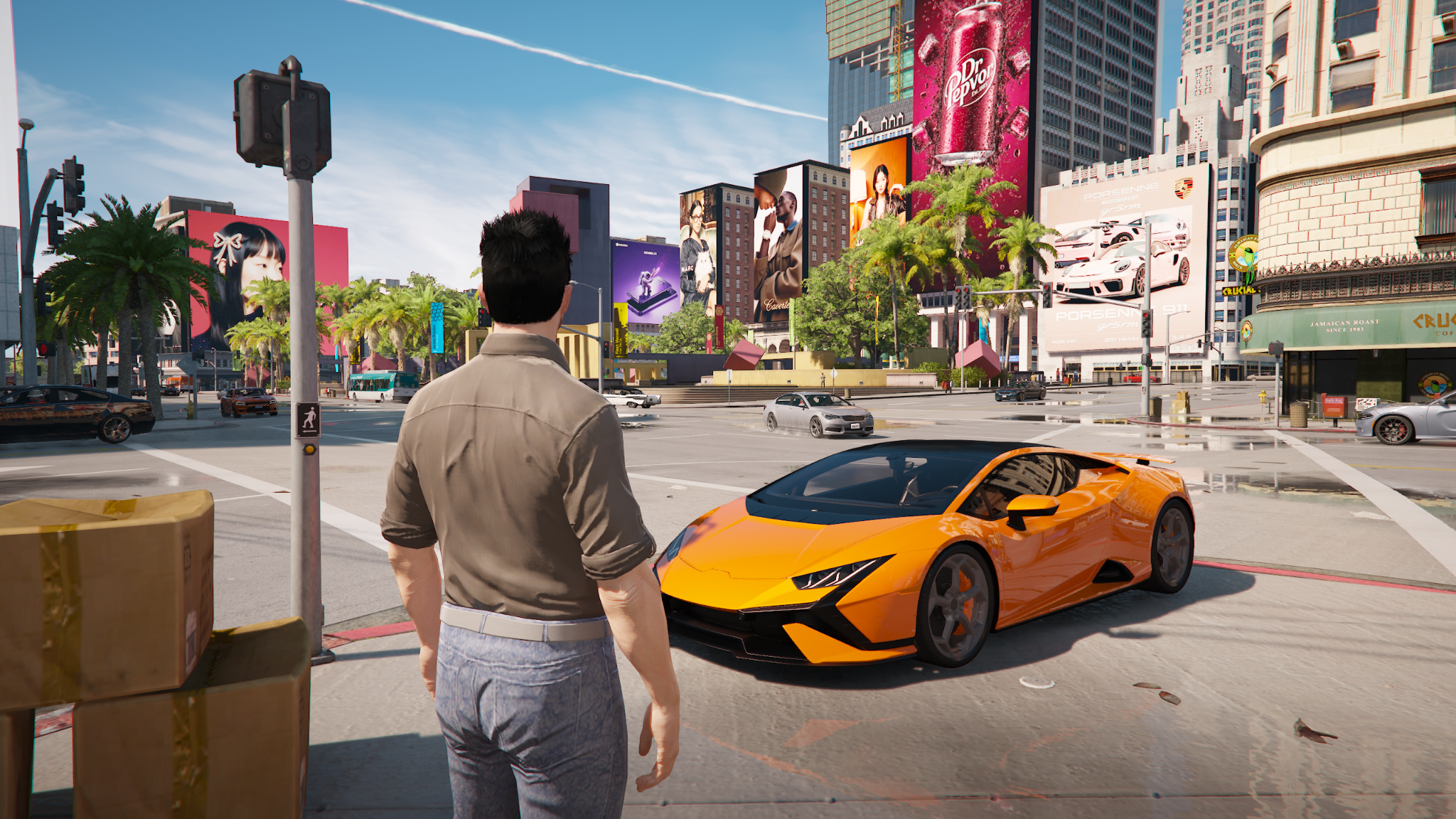
In this article, we’ll explain how to achieve visual optimization for FiveM in 2026. By following this guide, you can find the perfect balance between performance and visuals. This will make your GTA 5 sessions even more realistic and immersive. And your experience with ModsHub FiveM mods will reach a whole new level in fast-paced gameplay.
Introduction
If you’re a GTA 5 fan, try creating your own unique gameplay experience with advanced FiveM mods. They allow you to add new maps and territories, custom roleplay, and much more without risking a ban in the official GTA Online.
However, when playing on multiplayer FiveM servers, you should be aware that heavy modding and custom game modes put additional strain on your CPU and GPU. With proper FiveM settings, you will achieve smooth and stable frame rates. Conversely, ignoring the need for FiveM FPS optimizations can result in a worse gameplay experience due to lag, stutter, and slow-loading textures.
The Importance of FiveM Settings When Playing GTA 5
FiveM is a multiplayer platform that lets you join community-driven servers for a heavily modified version of GTA 5. Since it doesn’t connect to Rockstar’s official servers, players have complete freedom to customize their gameplay and establish their own roleplay style.
Each server’s creators configure the game’s economy, so you won’t have to spend much in-game currency to acquire the assets you need.
However, extensive customization can lead to sudden game crashes due to VRAM and RAM depletion. To avoid this, you need to configure both the in-game graphics settings and Windows and system settings. But before we begin to analyze these tweaks, let’s review the basic requirements for your PC.
Minimum Computer Requirements to Run FiveM Successfully
Multiplayer servers like FiveM experience reduced frame rates due to increased CPU load. This is explained by the need to process user scripts and custom modifications. Additionally, the CPU must handle synchronization of multiple players and heavy streaming during gameplay. Therefore, although FiveM has system requirements similar to GTA 5’s, you will need to optimize your settings for the best gaming experience. Below, we present the minimum and recommended system requirements to ensure a smooth FiveM gaming experience.
Computer Specifications |
Minimum System Requirements |
Recommended System Requirements |
| Operating system (OS) | Windows 10 or Windows 11 (64-bit) | Windows 10 or Windows 11 (64-bit) |
| Processor | Intel Core i3-4170/AMD FX-8350 (or equivalent) | Intel Core i5-10600K/AMD Ryzen 5 3600 (or better) |
| Storage | 80GB | SSD with at least 100GB of free space |
| Graphics Card | NVIDIA GTX 660/AMD Radeon HD 7870 | NVIDIA GTX 1660 Super/RTX 2060/AMD RX 5700 |
| RAM | 8GB | 16GB |
| VRAM | 2GB | 4GB+ |
| Internet | Stable broadband connection (5Mbps+) | Stable broadband connection (10Mbps+) |
How to Optimize Settings for FiveM
You can optimize various FiveM settings to avoid overloading your hardware during gameplay. Even with a low-end PC, this will ensure smooth gameplay without lag. Below, we’ll present optimal graphics, audio, and other settings and offer performance tweaks for FiveM. These will reduce loading times, stabilize FPS, and introduce other improvements to the game.
How to Configure the Best Graphics Settings for FiveM
The right graphics settings in FiveM create a more beautiful image with deep textures and fine details. High-quality reflections and shadows make the in-game world more vibrant and realistic. But to avoid overloading your GPU with richly rendered visuals, you should configure the following settings:
- Native Resolution (1920×1080 or higher) allows for better clarity.
- Disabling VSync prevents frame rate capping. However, since the graphics card and monitor operate independently, this can lead to screen tearing.
- High Texture Quality increases the sharpness of GTA 5 mods, including custom cars, weapons, buildings, and more.
- High Shader Quality provides better lighting and reflections.
- Normal Shadow Quality reduces the amount of memory and GPU resources spent on rendering outlines.
- Normal Reflection Quality offloads the GPU, reducing lag.
- Disabling MSAA (Anti-Aliasing) allows you to achieve maximum FPS. On a more advanced PC with a high FPS, set MSAA to 2x. This will make the image smoother but won’t significantly impact performance.
- High Post FX improves game visuals with richer colors and sharper images.
- Disabling Motion Blur & Depth of Field increases FPS and reduces blurring effects.
- Normal or Low Grass Quality maintains a stable FPS in grassy areas.
Internet Connection Specifications and Server Tweaks for FiveM
To play GTA 5 through FiveM, you will need a stable internet connection with low ping and no packet loss. To avoid microlag, choose a wired Ethernet connection with a download speed of at least 50-100 Mbps.
- Max Ping Limit: 200-150 ms. This setting filters out players whose slow internet speeds slow down the game.
- Voice Chat Proximity: Adjust this option to add realism to the game by zooming in and out on audio.
- Enable Streamer Mode if you experience texture pop-ups during gameplay.
Effective FPS and Performance Optimization
A high number of images displayed per second (FPS) guarantees smooth gameplay and greater immersion. With a minimum threshold of 30 FPS, you can play FiveM, but the gaming experience will be far from perfect. For enjoyable gaming, you need 60+ FPS. This can be achieved in a few steps:
- Optimize Windows. Make sure you are using the latest graphics driver and don’t keep unnecessary tabs open. Set your power plan to “High Performance” in FiveM to prevent Windows from dynamically downclocking your CPU and GPU.
- Upgrade hardware with more RAM. For FiveM needs, the ideal option would be 16 GB RAM and SSD installation. Also, don’t forget to upgrade the GPU to NVIDIA GTX 1660 Super / RTX 2060 / AMD RX 5700.
- Benefit from alternative FPS boosters. You can use preset settings suitable for most computers. ModsHub suggests trying the best settings for FiveM and GTA 5. You can read a detailed breakdown of them in our article at this link.
| Settings | Parameter Value |
| Resolution | 1080p by 185 FPS |
| Shadow Quality | 104 FPS |
| Quality of Grass | 75 FPS |
| Particle Quality | 100 FPS |
| PostPX | 120 FPS |
| Reflection Quality | 97 FPS |
| Shader Quality | 107 FPS |
| Tesselation | 115 FPS |
| Water Quality | 132 FPS |
| Soft Shadows | 150 FPS |
| Ambient Occlusion | 154 FPS |
Best Audio Settings for FiveM
The best sound in FiveM can be achieved by using headphones, spatial audio, and the following settings:
- Voice Chat Volume: Set this to 70-80% to clearly hear other players’ voices and game sounds.
- Microphone Sensitivity: Set the slider to its maximum position to ensure clarity and drown out any background sounds.
- SFX Volume: Set the volume to 70%-100% to clearly hear footsteps, gunshots, explosions, and car engines.
- Dialogue Volume: Keep it at 20-50% to hear players over NPCs.
- 3D Positional Audio: Enable it to better understand the direction of voices.
Optimal Mod and Script Settings for FiveM
Due to the large number of GTA V mods and high customization, players may experience crashes or at least lag while playing FiveM. To avoid reducing FPS and performance, follow the principle of moderation:
- Use a limited number of modded cars and skins.
- Disable unnecessary and heavy scripts.
- Select normal high-texture streaming to reduce the load on VRAM and system memory.
Customizing UI for FiveM
Players can customize their FiveM interface to create a unique atmosphere that matches the server’s theme. Specifically, you can adjust the HUD, inventory, speedometer, trip computer, chat system, notifications, and other in-game elements.
- Adjust the Heads-Up Display (HUD) to present only key information about your character or vehicle.
- Install UI mods to replace the standard GTA V menu and screen elements with unique and stylish ones.
- Choose lightweight UI FiveM mods for GTA 5 to improve game performance and avoid lag.
Fixing Common FiveM Settings Issues
When first starting in GTA 5 with FiveM, players may encounter some difficulties. Knowing how to fix them will help you avoid frustration and continue playing.
- If the game feels laggy and unresponsive, the issue may be low FPS or stuttering. To make the game smoother, upgrade your hardware with an SSD, close background tabs, and lower graphic settings. You can also increase FPS by enabling the NVIDIA/AMD performance GTA 5 mod.
- Annoying texture pop-ups occur because buildings or roads take too long to load. To speed up this process, disable unnecessary FiveM mods, reduce texture quality from high to normal, and increase extended texture budget settings. Check that your GPU has at least 4GB+ of VRAM.
- Delayed actions or disconnects may occur due to high ping or internet issues. To avoid this situation, use a wired Ethernet connection to join servers with a ping below 100ms. If the issue persists, restart your router and flush the DNS. Also, avoid downloading any files while playing FiveM.
- FiveM won’t launch if it crashes on startup. This can happen if you haven’t updated your GPU drivers and Windows or haven’t verified GTA 5 files in Steam or Rockstar Launchers. Deleting FiveM cache and disabling third-party overlays may also resolve the issue.
- You won’t hear others if voice chat isn’t working. Check that you’ve selected the correct output/input devices and enabled voice chat. Then test push-to-talk.
Conclusion
You can easily achieve smooth performance and better visuals by optimizing FiveM settings. By following our tips, you will get the best GTA 5 gaming experience on both high-end and low-end PCs.
Improve your settings in just a few clicks! This will add visual enjoyment and immersion to the game while maintaining high performance!
FAQs
If my internet connection has a high ping, will this affect my FPS in FiveM?
No, these metrics are not related. However, a high ping will worsen the overall gaming experience due to lag and delayed interactions.
Is windowed mode suitable for playing FiveM?
No, you should choose fullscreen to avoid input lag and performance drops.
If I use ReShade to improve graphics settings, will it get me banned?
Yes, some FiveM servers prohibit this program due to their anti-cheat policy.
How do I know if I can play FiveM on my PC?
Check your PC settings. If they meet FiveM requirements, you should have no problems while playing GTA 5 through FiveM.
 James Rossmarindez writes the kind of holistic wellness strategies content that people actually send to each other. Not because it's flashy or controversial, but because it's the sort of thing where you read it and immediately think of three people who need to see it. James has a talent for identifying the questions that a lot of people have but haven't quite figured out how to articulate yet — and then answering them properly.
They covers a lot of ground: Holistic Wellness Strategies, Pro Insights, Health Innovation Alerts, and plenty of adjacent territory that doesn't always get treated with the same seriousness. The consistency across all of it is a certain kind of respect for the reader. James doesn't assume people are stupid, and they doesn't assume they know everything either. They writes for someone who is genuinely trying to figure something out — because that's usually who's actually reading. That assumption shapes everything from how they structures an explanation to how much background they includes before getting to the point.
Beyond the practical stuff, there's something in James's writing that reflects a real investment in the subject — not performed enthusiasm, but the kind of sustained interest that produces insight over time. They has been paying attention to holistic wellness strategies long enough that they notices things a more casual observer would miss. That depth shows up in the work in ways that are hard to fake.
James Rossmarindez writes the kind of holistic wellness strategies content that people actually send to each other. Not because it's flashy or controversial, but because it's the sort of thing where you read it and immediately think of three people who need to see it. James has a talent for identifying the questions that a lot of people have but haven't quite figured out how to articulate yet — and then answering them properly.
They covers a lot of ground: Holistic Wellness Strategies, Pro Insights, Health Innovation Alerts, and plenty of adjacent territory that doesn't always get treated with the same seriousness. The consistency across all of it is a certain kind of respect for the reader. James doesn't assume people are stupid, and they doesn't assume they know everything either. They writes for someone who is genuinely trying to figure something out — because that's usually who's actually reading. That assumption shapes everything from how they structures an explanation to how much background they includes before getting to the point.
Beyond the practical stuff, there's something in James's writing that reflects a real investment in the subject — not performed enthusiasm, but the kind of sustained interest that produces insight over time. They has been paying attention to holistic wellness strategies long enough that they notices things a more casual observer would miss. That depth shows up in the work in ways that are hard to fake.